March 2026
We shipped a lot in Maestro this March, with one goal in mind: make it easier to manage jobs, stay on top of details, and keep the whole shop moving.
Here's what's new:
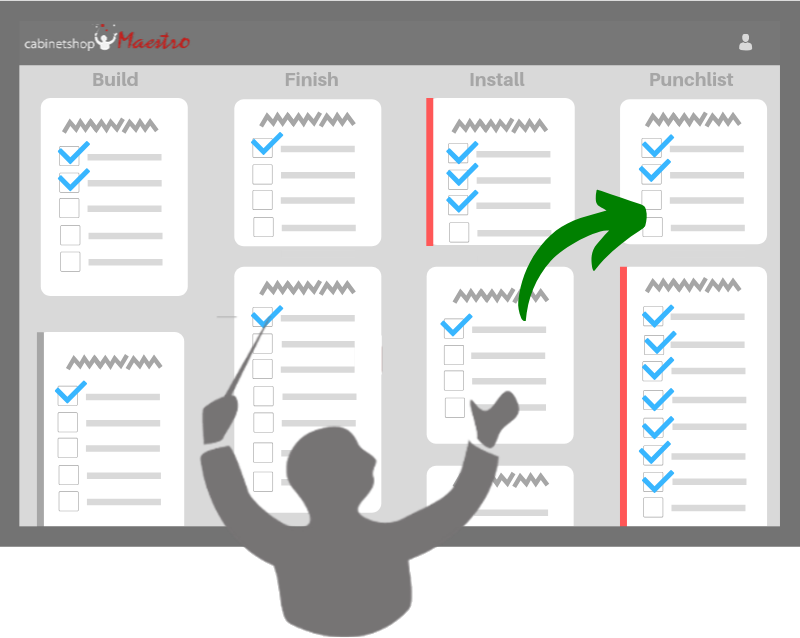
Workflow Boards Got a Major Upgrade
This was the biggest area of improvement this month.
Auto-refresh — Workflow boards now update every 10 seconds in the background, so everyone sees changes without needing to refresh.
Focus Mode — Click the eye icon on any milestone column to zero in on just that stage. You can focus on two columns at once — great for displays at certain areas of the shop.
Advanced sorting — Jobs, rooms, and cards can be vertically reordered within milestone columns however you want — just drag them into place. The whole company sees the same order.
Task in-progress visibility — New ways to mark tasks as in progress, so anyone looking at the board can see what's actively being worked on across the shop floor.
The workflow board is becoming the central hub for how your shop runs. If you're not already keeping it open all day, now's the time.
File Management Was Rebuilt
Files got a full rebuild this month.
Drag-and-drop uploads for images, PDFs, spreadsheets, and more
PDF thumbnail previews so your crew can spot the right drawing faster
Version history when files get replaced
Inline renaming so you can finally clean up files like IMG_4782.pdf
The goal here was simple: make job files easier to find, easier to update, and less messy.
Time Off Is Now Inside Maestro
You can now manage time off directly in Maestro.
Employees can request time off — managers approve or deny
Approved time off shows automatically on Employee Schedules, Task Calendar, and personal boards
Managers can also record sick days and export to CSV for payroll
Also New
A few other improvements shipped this month too:
Task Quick-View — open any task from a board, schedule, or calendar and start it, complete it, log time, or add a note without leaving the page
Better proposal/invoice linking and duplicate invoice warnings
Color-coded tasks and drag-and-drop reordering on the Task Calendar
Faster page loads across schedules, timelines, and calendars
Mobile fixes, security improvements, and a handful of important bug fixes
What We're Working On Next
Usability needs to keep getting better. That's the theme heading into April.
A lot of you keep the workflow board up on a screen all day, and we're leaning into that. We're thinking hard about what Maestro looks like when it runs on a shop floor monitor as a kiosk — always on, always current, and easy for your crew to glance at and know what's next.
We're also working on faster ways for shop floor workers to log updates with fewer taps and less friction, and looking at ways to make invoicing easier to get started with.
That's March. If something's not working right, or there's something you wish Maestro did, get in touch. We read every message.
Brian Haughey
Founder, Cabinetshop Maestro
Try Cabinetshop Maestro® Today!
Nothing to download, nothing to install, and no contracts.